A quiet fidget. Only for Apple Watch.
Keep turning.
It keeps going.
An endless scroll for that little Digital Crown habit. Turn, feel a satisfying haptic, and keep going. There’s no top or bottom to reach.

US$0.99 · One-time purchase
Local App Store prices vary by country or region.
Requires watchOS 10 or later.
Video description
A hand turns an Apple Watch’s Digital Crown. A built-in list reaches its end; Endless Crown keeps scrolling through numbers. The Effects picker shows different patterns of clicks and vibrations, followed by demonstrations of Thud and Wave. The clip ends with the app’s Watch-only, no-account, no-tracking message.
Find your favorite feel
15 ways to find
your favorite feel.
From crisp clicks to a rolling wave. Tap to switch things up, or hold to choose an effect. Keep turning for as long as you like.
The simple ones
Clicks · Ping · Soft
A little movement
Drift · Pulse · Wave
Find a rhythm
Double Tap · Gallop · Heartbeat
Staccato · Waltz
Make it stronger
Buzz · Heavy · Thud
Let it surprise you
Random
Small app. Thoughtful details.
Make yourself comfortable.
Made for your wrist.
Ready whenever you want a moment.
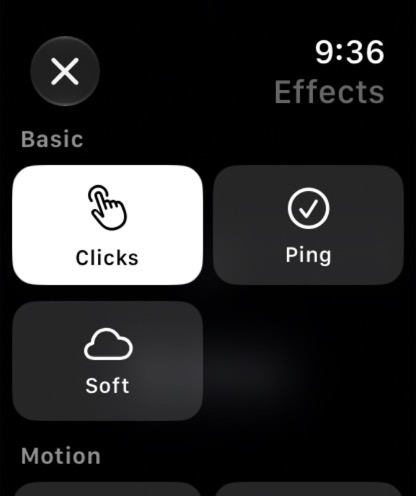
Find the feel you like.
Choose an effect from the picker, or cycle through them with a tap.
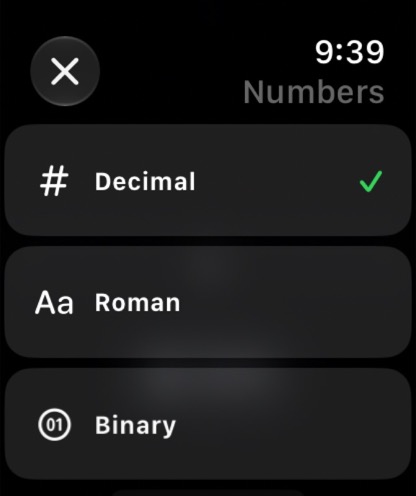
A different way to count.
Count with everyday numbers, Roman numerals, or another style you enjoy.
See all number styles
Decimal (everyday numbers), Roman (Roman numerals), Binary, Hex, Octal, and Base-26.
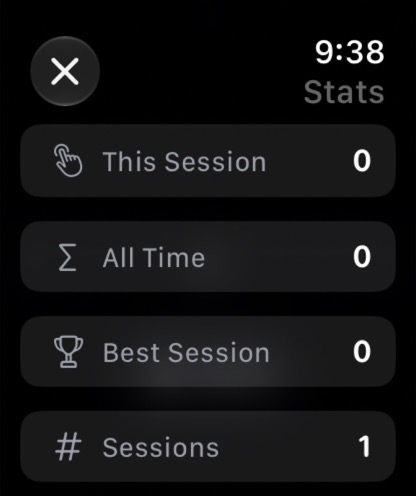
A little history, just for you.
See how many clicks and vibrations you’ve enjoyed. Your counts and history stay on your Watch.
Private by design
Your moment.
Yours alone.
Endless Crown doesn’t collect personal data. Preferences and statistics stay on your Watch. No account, ads, or analytics.
Read the privacy policyGood to know
A few small details.
Need a hand? Email EndlessCrown@jenny.media. You can also report a bug on GitHub .
What do I need to use Endless Crown?
An Apple Watch running watchOS 10 or later. Endless Crown is a Watch app; the Digital Crown is the main way you interact with it.
I bought it on my iPhone. Where is the app?
Endless Crown runs only on Apple Watch. You can purchase it from your iPhone, but it won’t add an app to your iPhone Home Screen. Once installed, open it from your Apple Watch’s app list. If it isn’t there yet, follow the installation steps below.
How do I install it on my Apple Watch?
On your Watch: Open the App Store, search for Endless Crown, and tap the price or cloud download button. Follow the prompts to install it.
Already purchased? In the App Store on your Watch, scroll to the bottom and open Account → Purchased. Choose My Purchases if shown, find Endless Crown, and tap the cloud download button. Use the Apple Account you purchased it with; you don’t need to pay again.
From your paired iPhone: Open the Watch app → My Watch. If Endless Crown appears under Available Apps, tap Install. If it isn’t listed, use the App Store on your Watch instead.
After installation, press the Digital Crown to see your apps, then tap Endless Crown.
How do I change effects and settings?
Tap the number line or effect name to cycle through effects. Touch and hold either one to open the Effects picker. Double-tap either one to open the menu, where you can change number formats, view statistics, reset, or adjust ambient mode.
Is there a subscription?
No. Endless Crown is a one-time purchase with no in-app purchases. The App Store shows the current price for your country or region.
What does ambient mode do?
Ambient mode dims the app’s interface for a more discreet appearance. Your Apple Watch still controls when its display dims or sleeps.
Can I open it from my watch face?
Yes. Add Endless Crown to a compatible watch face as a small shortcut, called a complication. It can also show your current number and total clicks and vibrations.